Testing SNI manually
Before reaching for specialized tools, it is useful to understand how to probe SNI behavior with standard command-line utilities.
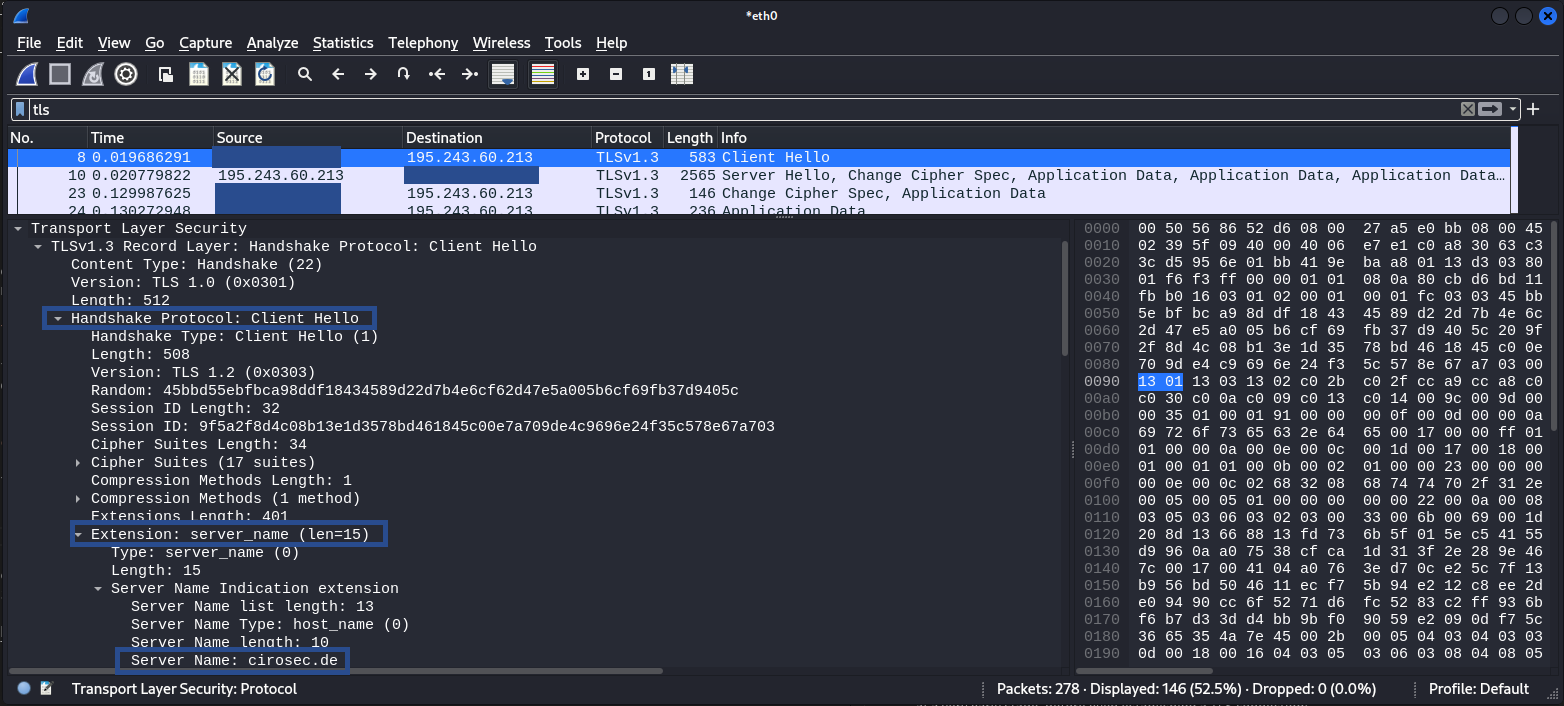
The openssl s_client command lets you set the SNI field explicitly with -servername:
# Connect without sending any SNI extension
openssl s_client -connect X.X.X.X:443 -noservername

# Test with a different hostname to see if the server response changes
openssl s_client -connect X.X.X.X:443 -servername other.example.com
Comparing the TLS certificates returned (or whether the connection is accepted at all) reveals how the server handles SNI routing.
Similarly, curl sets the SNI field automatically based on the URL hostname. To decouple the SNI-Host value from the actual IP address you connect to, use –resolve:
# Force resolution: connect to a specific IP address but send SNI for candidate.example.com
curl -v --resolve candidate.example.com:443:X.X.X.X https://candidate.example.com/
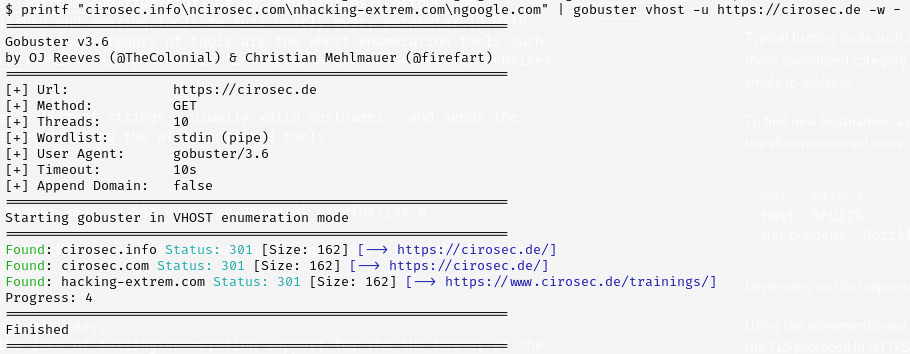
This is essentially manual vhost enumeration at the TLS and HTTP layer, which is exactly what SNItch automates at scale.
SNItch
Fuzzing the TLS handshake
SNItch addresses this gap by operating directly at the TLS layer. It uses the uTLS library to craft custom TLS ClientHello messages with full control over the SNI extension.
In the background a tree of the DNS layers is constructed which helps keep track of wildcard domains, test results to later filter out false positive results and already scanned domains.
SNItch’s scan loop is iterative. Each scan epoch is as follows:
- Probe all unscanned hostnames via SNI and HTTP.
- Check for new potential branches or leafs in the DNS layer tree and test them.
- Lookup PTR records
- Discover new hostnames:
- Extract from certificate CN/SAN fields.
- Query crt.sh and PTR records (optional).
- Extract from response headers (optional).
- Add all new hostnames to the DNS label tree for the next epoch.
This feedback loop means a single initial target can expand into a comprehensive map of related services, without relying solely on wordlists.
Hostname validation across IP address ranges
The real power of SNItch emerges when scanning multiple IP addresses that belong together, for example an entire ASN (Autonomous System Number) of a company or a cloud provider’s IP address range allocated to a single product. SNItch validates every discovered hostname against every target IP address. If one server in the range leaks a hostname through a certificate or a fallback response, SNItch will probe that hostname against all other IP addresses in the scan. This means, a single misconfigured server can reveal hostnames that are then confirmed on otherwise hardened machines across the same range.
Getting started with SNItch
Installation
SNItch is written in Go and builds as a single static binary:
git clone https://github.com/cirosec/SNItch.git
cd SNItch
go build -o SNItch .
Basic usage
The simplest invocation takes a domain name. SNItch resolves its DNS records automatically and scans port 443:
SNItch example.com
This single command already triggers the full iterative discovery loop: SNItch connects to the resolved IP addresses, extracts hostnames from returned certificates, queries crt.sh for additional subdomains, performs PTR lookups and feeds everything back into the scan queue for subsequent epochs.
To scan specific IP addresses or CIDR ranges against a set of known hostnames, use the -t (target) and -d (domains/hosts) flags:
# Scan a /24 range with two candidate hostnames
SNItch -t 10.11.10.0/24:443 -d api.example.com,mail.example.com
For larger engagements, load targets and hostnames from files:
SNItch --target-list targets.txt --host-list hostnames.txt
Controlling the discovery loop
By default, SNItch runs two scan epochs (-e 2), meaning it performs one initial scan and then one follow-up round with any newly discovered hostnames. For a deep crawl of a large range, increase the epoch count:
SNItch -t 10.0.0.0/24:443 -d example.com -e 5
Conversely, to skip all automated reconnaissance (crt.sh, PTR, certificate extraction) and only test the hostnames you supply, use –no-recon:
SNItch -t 10.0.0.1:443 -d admin.example.com,staging.example.com --no-recon
This is useful when you already have a target list and want a fast, focused scan without any external queries.
Filtering and scoping
In practice, certificate SANs and CT (certificate transparency) logs often return hostnames outside the scope of an engagement. SNItch provides two mechanisms to keep the scan narrow:
- -i (ignore): Exclude specific FQDNs or wildcard patterns from scanning. For example, -i cdn.example.com prevents SNItch from probing CDN endpoints that would clutter results. Ignoring example.com will cause SNItch to also ignore all subdomains of example.com.
- -r (require): Only scan hostnames matching a regex. For instance, -r “.*\.example\.com$” restricts the scan to subdomains of example.com, even if certificates or CT logs reveal hostnames on unrelated domains.
The following example allows all and only subdomains of example.com (including the domain) to be scanned excluding the subdomain cdn.example.com:
SNItch -t 10.0.0.0/24:443 -d example.com -i cdn.example.com -r ".*\.example\.com$"
Tuning for the environment
For rate-limited or sensitive environments, concurrency and timeouts can be adjusted:
# Reduce to 10 threads, increase timeout to 30 seconds
SNItch -t 10.0.0.0/24:443 -d example.com -p 10 --timeout 30
Some targets behind Cloudflare or similar CDNs will temporarily block IP addresses when a source repeatedly sends the IP address as SNI value (which violates RFC 6066). Disable this probe type with –no-ip-sni:
SNItch example.com --no-ip-sni
Hardening validation
To use SNItch as a defensive tool, you can scan your own infrastructure by IP addresses alone, without supplying any hostnames or enabling reconnaissance:
SNItch -t 203.0.113.42:443 --no-recon
If SNItch fails to extract any hostnames, certificates or meaningful HTTP responses, the target is properly hardened against IP address-based reconnaissance. Any discovered hostname indicates information leakage.
Defending against SNItch
Server hardening
A common reconnaissance approach for attackers is to scan IP address ranges and access servers directly by IP address, without supplying any hostname. If the server responds with a certificate or default page, the attacker learns the hostnames from the certificate’s CommonName or SubjectAltName fields and can potentially use them to map out the infrastructure.
A well-configured server should reveal nothing in this scenario. Specifically:
- No SNI, no handshake: The server should reject TLS connections that omit the SNI extension or provide an unknown hostname, without returning a certificate.
- No fallback certificate: A default or wildcard certificate served to unknown SNI values leaks domain information to anyone probing the IP address or random hostnames.
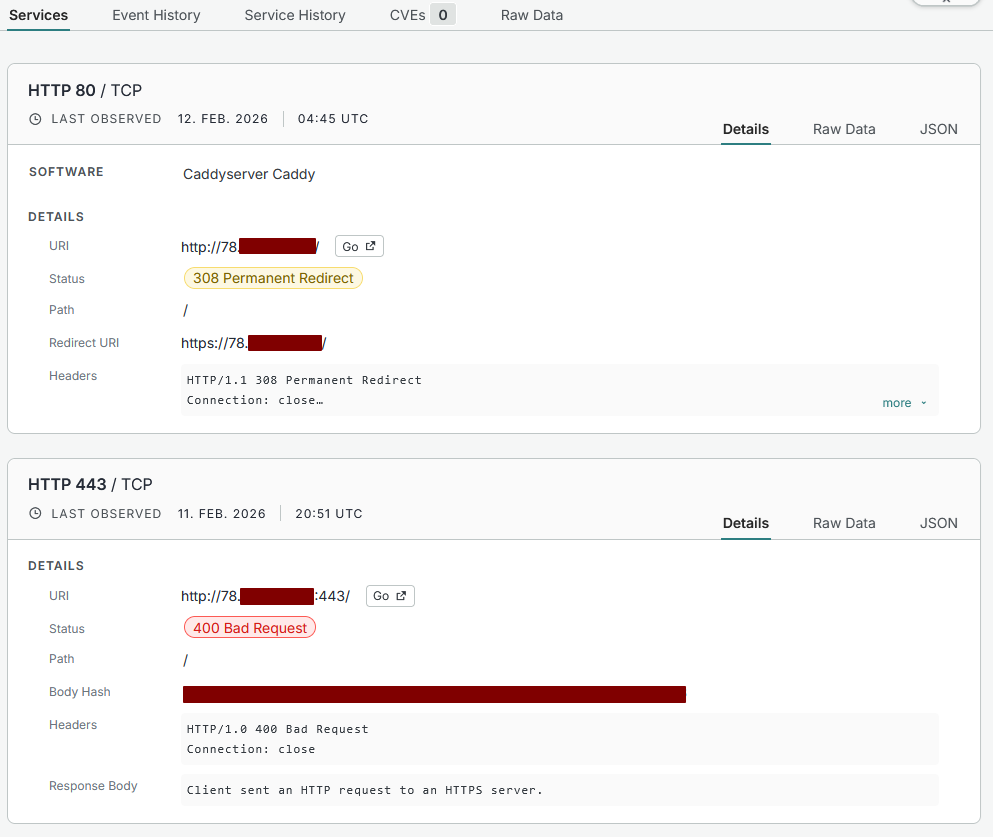
- Port 80 hardened: Hardening HTTPS on port 443 is not sufficient. The HTTP port (80) must also be configured to reject or redirect requests with unknown or missing Host A server that strictly validates SNI on 443 but serves a default page on port 80 still leaks its hostname to anyone who connects over plaintext HTTP.
It is worth noting that this type of hardening is a defence against mass scans and automated web crawlers that enumerate IP address ranges without prior knowledge of hostnames. A determined attacker who resolves all known forward DNS entries pointing to the server’s IP address will still discover its hostnames. The goal is to avoid volunteering that information to unauthenticated, opportunistic probes. Furthermore, as described above, SNItch can circumvent per-server hardening by scanning correlated IP address ranges: if any single server in the range leaks a hostname, SNItch will test it against all other targets, potentially confirming services on otherwise hardened machines.
When SNItch is run against a properly hardened target and fails to extract any hostnames, certificates or meaningful HTTP responses, that is a positive result. It confirms that an attacker who only knows the IP address has no foothold to begin hostname enumeration. Conversely, if SNItch discovers hostnames from a cold start on an IP address alone, it exposes exactly the information leakage that the server configuration should prevent.
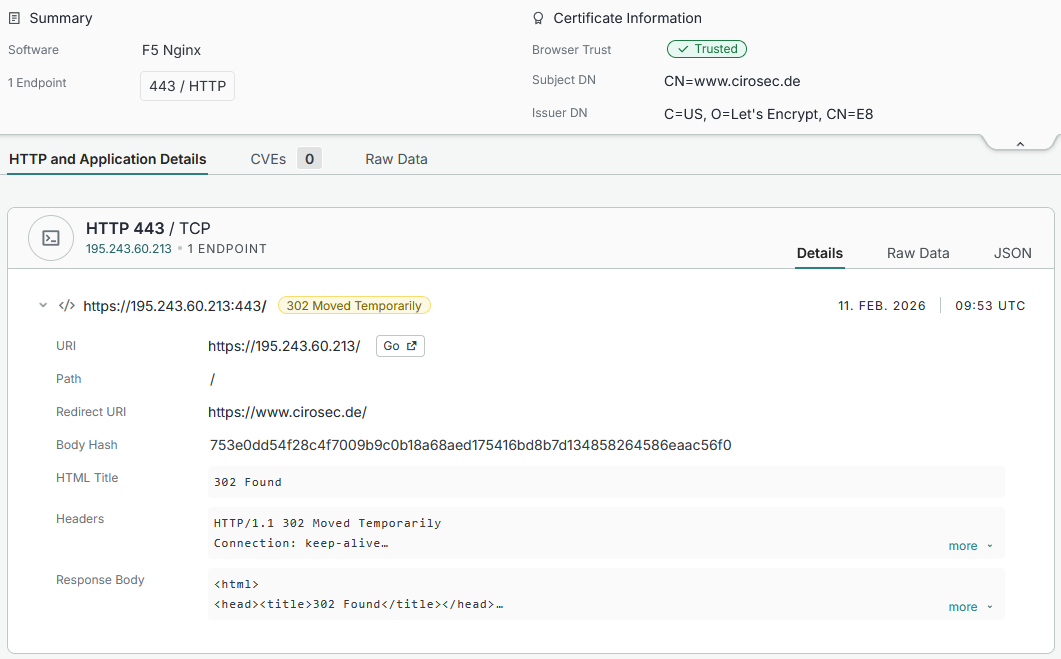
An unhardened HTTPS server in censys clearly shows at least the supported domain and certificate: